Whether you are an individual managing personal documents or a professional dealing with confidential company data, understanding how to secure your ...
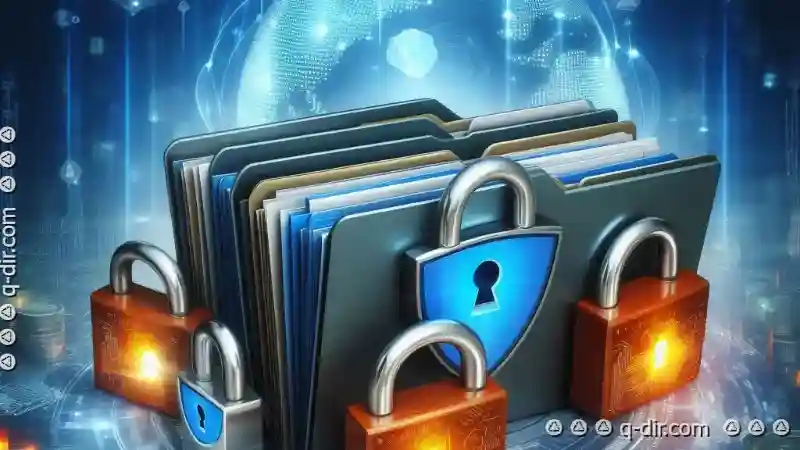
 folders is essential. This blog post will delve into the basic concepts of file management, focusing on folder security, particularly how to protect sensitive data stored within them. In today's digital age, the management of files and folders is crucial not just for efficient workflow but also for data security.
1. Understanding Folders and Their Importance
2. Basic Concepts of File Management
3. Folder Security: Protecting Sensitive Data
4. Practical Tips for Implementing Folder Security
5. Conclusion
1.) Understanding Folders and Their Importance
What are Folders?
Folders, also known as directories in some systems, are used to organize files on a storage device such as a computer hard drive. They serve as containers for keeping related documents together, making it easier to find and manage them.
Why is Folder Security Important?
Files within folders often contain sensitive information that should not be accessible to unauthorized individuals. Protecting these folders ensures the confidentiality of your data. This includes personal information (like financial records or private photos), business-critical data (such as contracts, customer lists, and intellectual property), and other confidential documents.
2.) Basic Concepts of File Management
1. Organization
Proper organization is key to managing files efficiently. Use a hierarchical structure that reflects the logical relationships between files (e.g., creating folders for different projects or clients). This makes it easier to locate specific files when needed.
2. Backup and Recovery
Regularly backing up your data ensures that you can recover important files even if the original is lost due to hardware failure, software issues, or human error. Consider using cloud storage services or external hard drives for off-site backups.
3.) Folder Security: Protecting Sensitive Data
1. Setting Permissions
Most operating systems allow users to set permissions on folders, controlling who can access them and what actions they can perform (read, write, execute). For sensitive data, you should limit access to only those who need it. Use tools provided by your OS or file management software to adjust these settings.
2. Encryption
Encryption is a method of encoding information so that its meaning is unintelligible unless the code is decoded with a key or password. Encrypting folders containing sensitive data ensures that even if someone gains physical access to your files, they cannot read them without the decryption key. Tools like BitLocker (Windows), FileVault (macOS), or LUKS (Linux) can be used for this purpose.
3. Use of Security Software
Security software such as antivirus programs and firewalls can help protect against unauthorized access to your files by blocking malware that might try to steal data from your computer. It's essential to keep these updated with the latest security patches and definitions.
4. Regular Audits and Updates
Regularly review who has access to sensitive folders and adjust permissions as necessary. This includes removing unnecessary user accounts, especially those no longer employed by your organization, which might still have access to important files.
4.) Practical Tips for Implementing Folder Security
- Use Strong Passwords: For encrypted drives or systems that require passwords, use strong, unique passwords for each account and consider using multi-factor authentication where available.
- Educate Users: Train all users on the importance of data security and how to protect sensitive information. This includes not sharing login credentials and being cautious about opening email attachments from unknown sources.
- Monitor Activity: Use logging and monitoring tools within your file management system to track who accesses certain folders, when they access them, and what actions are taken.
5.) Conclusion
Safeguarding sensitive data in digital folders is a critical aspect of modern information management. By understanding the basic concepts of folder security and applying practical strategies such as setting permissions, encrypting data, using security software, and regularly auditing access, you can significantly reduce the risk of unauthorized access to your files. Remember that while these measures provide significant protection, they should be part of a broader strategy that also includes education, regular updates, and incident response planning.
The Autor: / 0 2025-05-01
Read also!
Page-

Icon View: Where Visuals Meet Control
Among various interface styles, icon views stand out for their ability to combine aesthetics with usability. This blog post will delve into what ...read more

The Future of File Moving: Will AI Automate It All?
From personal documents to project files, keeping everything organized is a daunting task for many users. As artificial intelligence (AI) continues ...read more

Why Dual-Pane View is the Best for Copying Files
Whether you are using file management software or relying on your operating system to handle your documents, choosing the right view and layout ...read more
